In the app development battleground, creating a seamless user interface is just half the job — you must also see how users are using your app. Is everything going to plan? Are they getting stuck on a screen? Are they dropping off halfway? That's where Microsoft Clarity can help.
Microsoft Clarity is a free, simple-to-implement behavior analytics solution built by Microsoft that gives session recordings, heatmaps, and user journey tracking to enable developers and product teams to see precisely how users are interacting with their websites and apps.
From trying to minimize churn, to enhancing UI/UX, or debugging unforeseen behavior — Clarity gives strong visual feedback that standard analytics tools typically fail to do.
In this blog post, we will find out how to use Microsoft Clarity in a Flutter application.
Getting started with Clarity
To get started we need to first register in the Clarity dashboard and create a project.
Sign up for Clarity
Onboarding Clarity is free and easy. If you're new to Clarity, start by signing up. Go to https://clarity.microsoft.com/ and select Sign up/Sign in using Microsoft account/Google/Facebook.
Upon successful sign in you will navigate to the Projects screen.
Add a new project
Select New project to start adding a project.
Go to the Mobile tab. Choose Flutter in the platform and enter the Project Name with industry. Select Add new project once done.
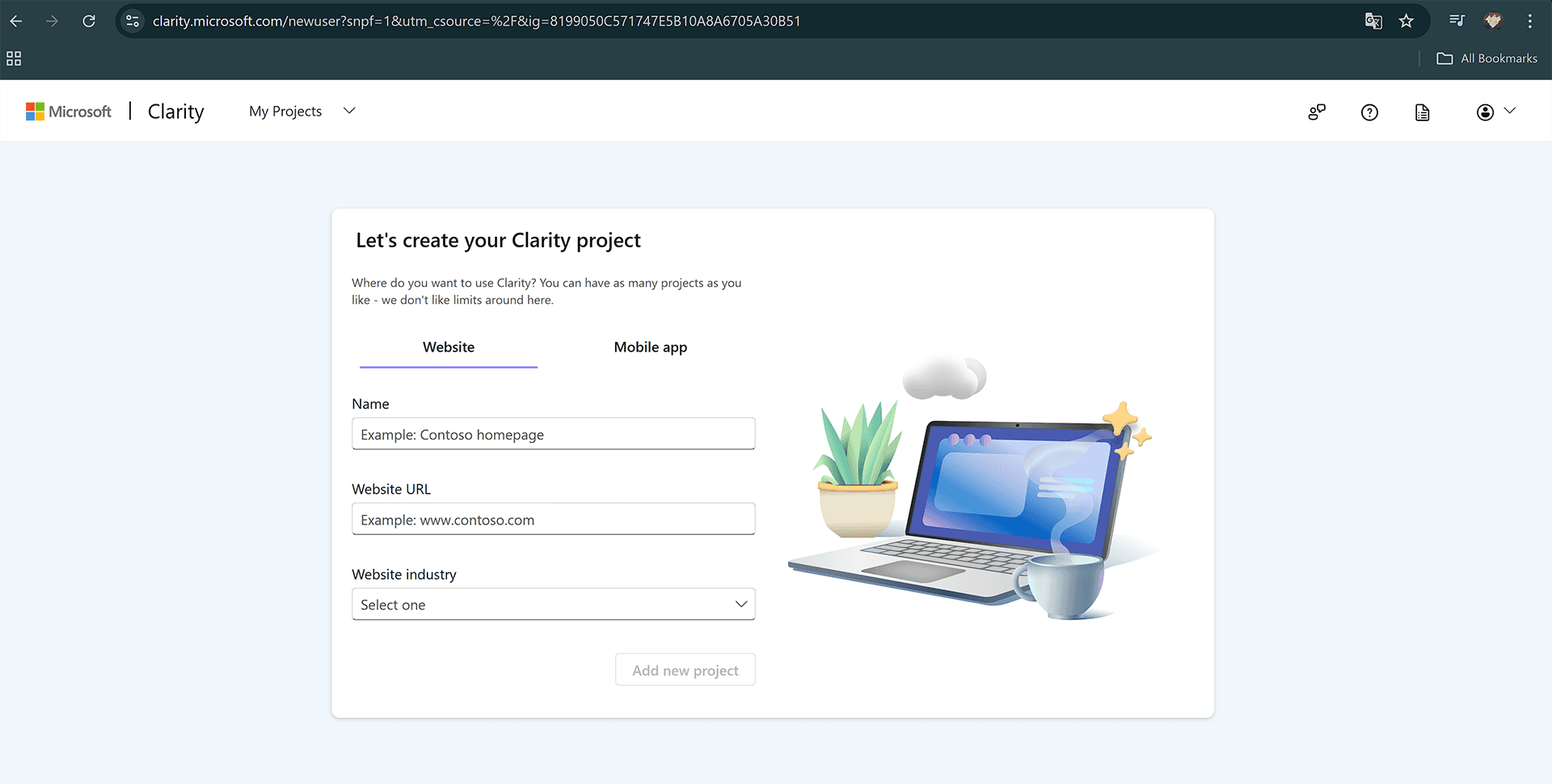
Once the project is created you can find the Clarity project ID. Save this ID for later use.
Integration in Flutter
Add Dependency
Add the clarity_flutter dependency to your pubspec.yaml file.
Import the Package
Import the clarity_flutter package in your main.dart file.
Initialize and Wrap Your App
Initialize the ClarityConfig object and wrap your app with the ClarityWidget widget.
That’s it you can now run the application and get the analytics in Clarity dashboard.
Analytics Dashboard
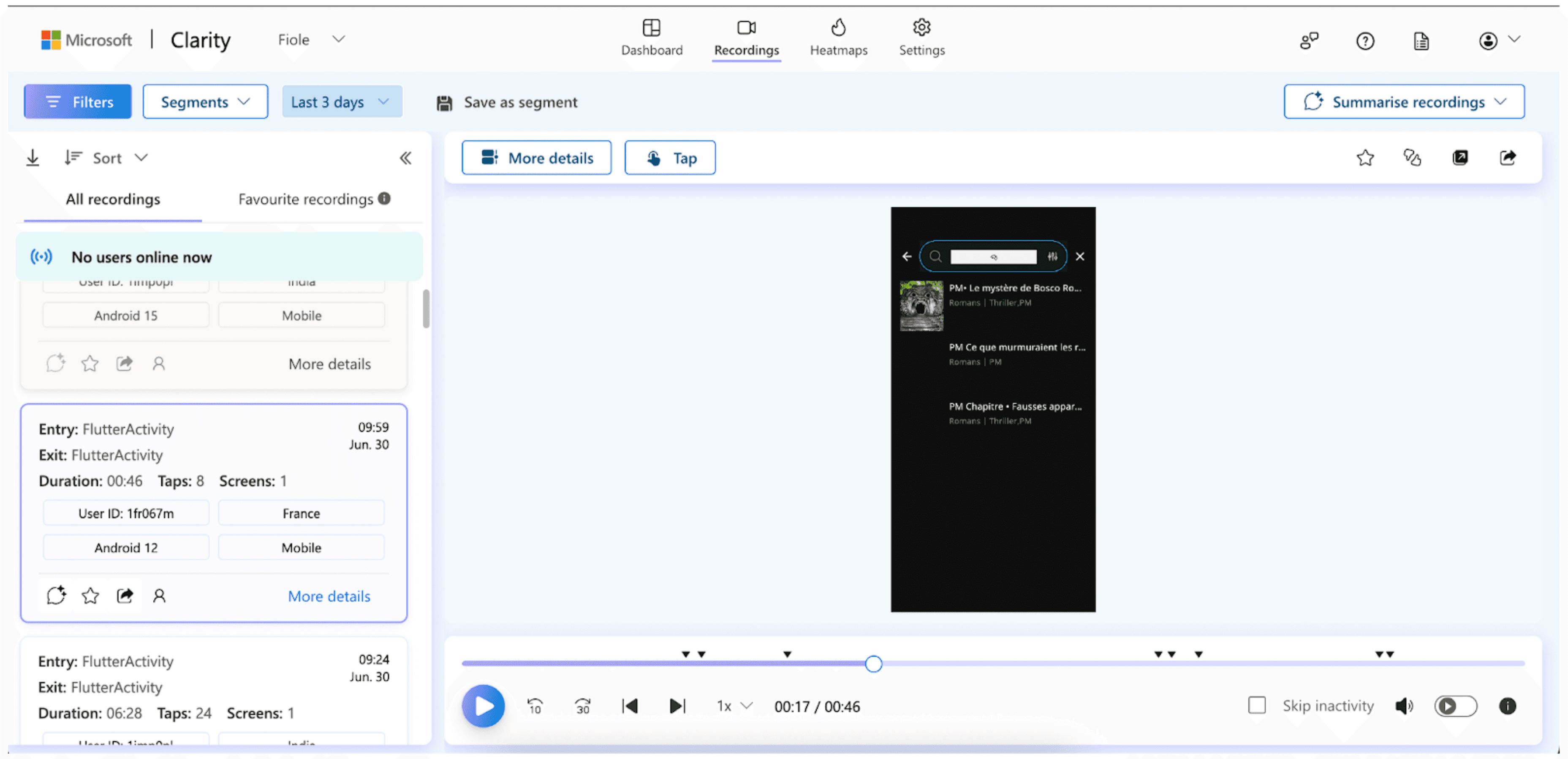
Live recording:
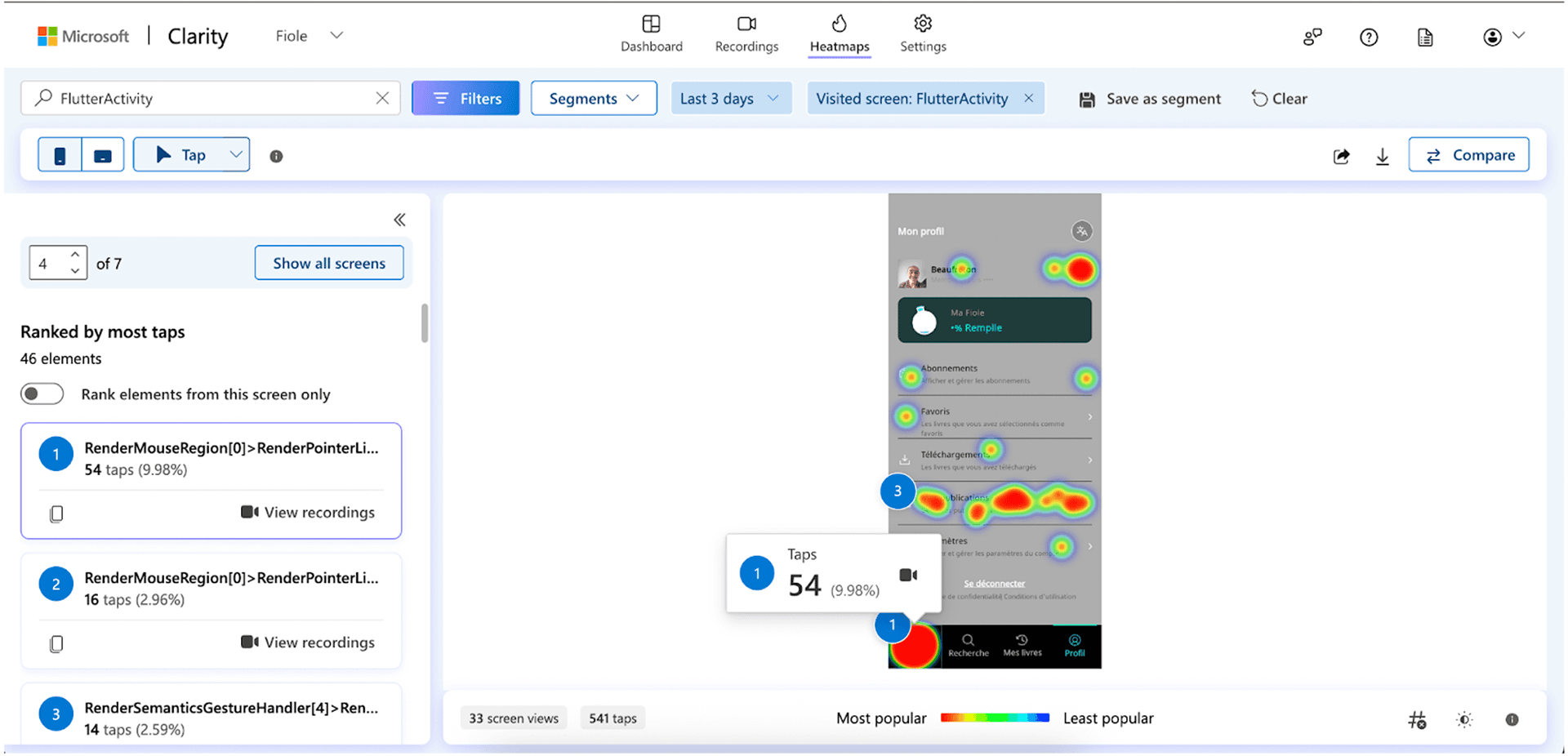
Heatmaps:
Getting deep into it
Masking Widgets
The Clarity Flutter SDK provides masking widgets to mask sensitive information in your app. These widgets are ClarityMask and ClarityUnmask.
ClarityMask
Use ClarityMask to mask widgets containing sensitive information.
ClarityUnmask
Use ClarityUnmask to unmask widgets within a masked area.
Conclusion
Microsoft Clarity brings enterprise-level user behavior insights to any Flutter app, for free. It helps developers
Reposition buttons for better visibility
Fix invisible UX bugs
Clean up redundant code
Improve performance based on real user data
Best part? It’s 100% free forever. If you’re serious about Flutter UX, start using it today.
Frequently Asked Questions
1. What is Microsoft Clarity and why should I use it?
A. Microsoft Clarity is a free user‑behavior analytics tool that provides session recordings, heatmaps, and frustration signals (like rage/dead clicks). It’s ideal for Flutter developers seeking deep visual insights into user interactions, without performance impact or costs.
2. How do I integrate Microsoft Clarity into a Flutter app?
A. Simply add the clarity_flutter dependency, import the package, and initialize Clarity by wrapping your app in ClarityWidget with your project ID. This starts session capture and heatmaps within minutes
3. Can I mask sensitive data with the Clarity Flutter SDK?
A. Yes. The SDK includes ClarityMask to hide sensitive widgets (like passwords) and ClarityUnmask to expose only non-sensitive parts. This ensures GDPR/CCPA compliance and protects user privacy